Beyond the UI: Understanding Modern Frontend Engineering · Part 9
New to this series? Start with Part 1
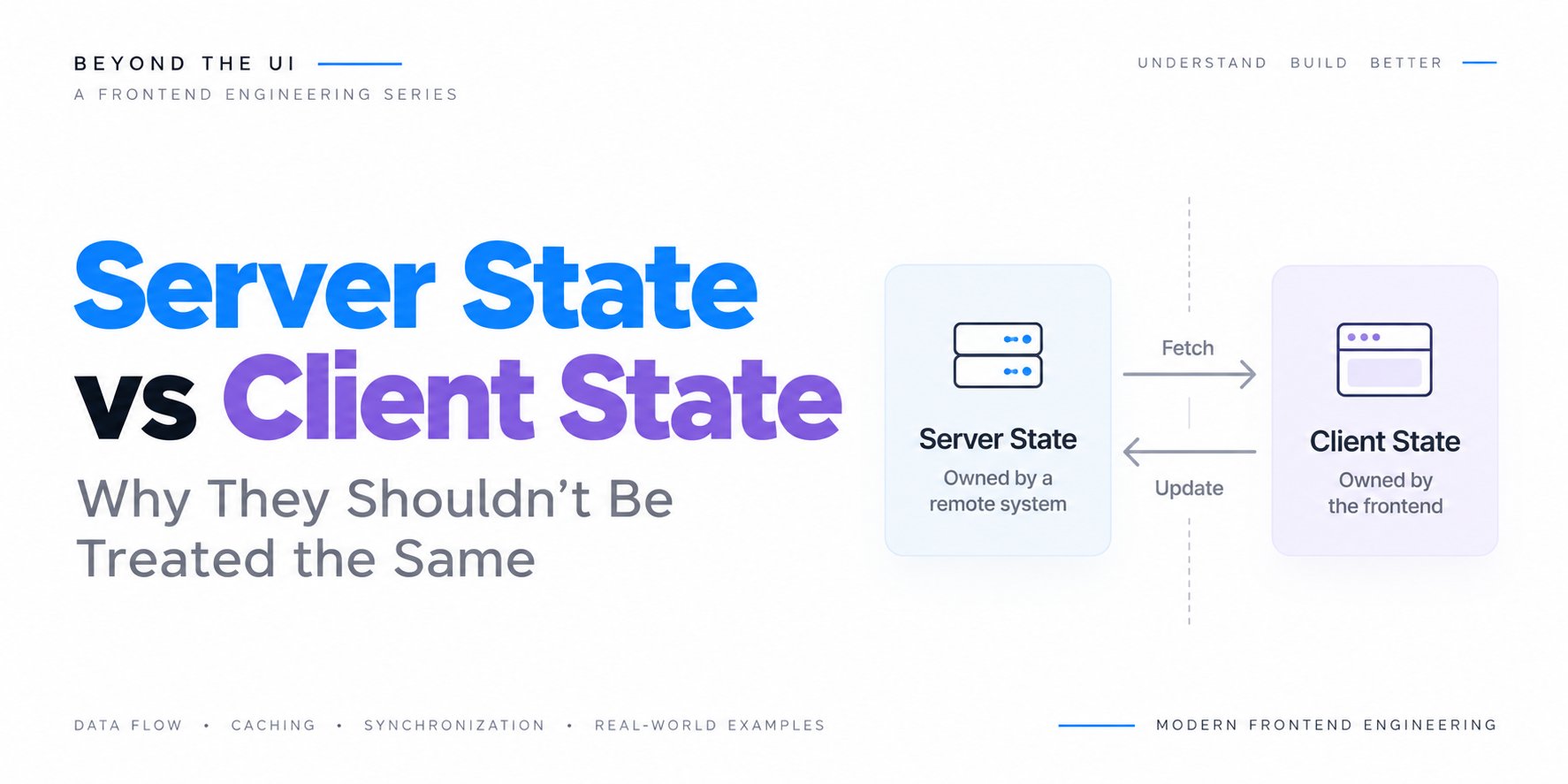
Server State vs Client State: Why They Shouldn't Be Treated the Same
| Beyond the UI: Understanding Modern Frontend Engineering | Part 9 |
Modern frontend applications manage an enormous amount of state. A shopping application remembers which products a user has added to their cart, a financial dashboard displays transactions retrieved from an API, and a project management platform tracks which tasks are selected, which filters are active, and which records have been modified.
At first glance, all these values appear to be application state. They influence what users see, they change over time, and the interface must respond when those changes occur.
However, there is an important difference between remembering whether a sidebar is open and displaying the current balance of a bank account.
The sidebar’s state belongs to the frontend. The application can change it immediately, and no external system needs to confirm whether the sidebar is open or closed.
A bank balance is different. The frontend does not own that information. It retrieves a representation of the balance from a remote system, displays it, and must account for the possibility that the information changes elsewhere.
That distinction introduces an entirely different set of engineering problems.
Consider a financial dashboard that retrieves a customer’s account balance at 10:00 AM.
1
Account Balance: KES 125,000
The frontend stores the response and displays it.
At 10:02 AM, the customer makes a payment of KES 15,000 through a mobile application. The backend processes the transaction and updates the authoritative balance.
The dashboard still displays KES 125,000 because nothing has informed it that the underlying information has changed.
From the frontend’s perspective, the data is available and the interface is working correctly. From the user’s perspective, however, the displayed information is outdated.
This is the fundamental challenge of server state.
Client state represents information the frontend can manage locally, while server state represents a local view of information whose authoritative source exists elsewhere.
Both are used to build the interface, but they have different ownership, synchronization, consistency, and lifecycle requirements.
In the previous article, we explored memoization and how applications can avoid repeating expensive calculations when their inputs remain unchanged. Server-state management introduces a related but more complicated problem because reusing previously fetched information is not enough. We must also determine whether that information is still valid.
In this article, we will examine the differences between server state and client state, explore why traditional state-management approaches often struggle with remote data, and understand how caching, invalidation, background synchronization, and optimistic updates work together in modern frontend applications.
We will also examine the architectural trade-offs involved in keeping a frontend synchronized with systems it does not control.
1. What Do We Mean by Application State?
Before separating client state from server state, it helps to understand what state represents in a frontend application.
State is information that influences how an application behaves or what it displays at a particular moment.
Consider a product catalogue.
The application might need to remember which category is selected, whether the filter panel is expanded, what the user has entered into the search field, and which products were returned by the backend.
All these values influence the interface, but they do not necessarily have the same source or lifecycle.
1
2
3
4
5
6
7
8
9
10
11
                    Frontend Application
                              |
                 +------------+------------+
                 |                         |
                 v                         v
             Client State              Server State
                 |                         |
        +--------+--------+       +--------+--------+
        |        |        |       |        |        |
      Modal    Search   Selected Products Orders Inventory
      Open     Input      Tab
The distinction is not based on whether a value appears in the UI. Both categories ultimately influence what gets rendered.
Instead, the distinction concerns who owns the authoritative information and how the frontend is expected to keep it correct.
A modal’s visibility is usually controlled entirely by the frontend. A product’s current inventory level is usually controlled by a backend system.
The frontend may store both values in memory, but that does not make them equivalent.
2. Understanding Client State
Client state is information whose authoritative value is controlled by the frontend application within the relevant scope.
Examples include whether a dropdown is expanded, which tab is selected, the current contents of an unsaved form, and whether a confirmation dialog is visible.
Consider a simple sidebar.
1
2
3
4
5
6
let sidebarOpen = false;

function toggleSidebar() {
  sidebarOpen = !sidebarOpen;
  renderSidebar(sidebarOpen);
}
The frontend controls the value directly.
When the user clicks the toggle button, the application updates the state and reflects the change in the interface.
1
2
3
4
5
6
7
User Clicks Toggle
         |
         v
Update sidebarOpen
         |
         v
Update Interface
There is no need to contact a backend to determine whether the sidebar should be open. The frontend owns that decision.
This makes client state relatively straightforward to manage.
Its lifecycle is usually tied to a component, page, browser session, or application instance. Depending on the requirements, it may be stored in component state, a shared state container, the URL, or browser storage.
For example, a selected product category might be represented in the URL so that users can share the current view.
1
/products?category=laptops&sort=price
Although the value is persisted in the URL, it is still controlling the user’s local view of the application.
This illustrates an important point: state ownership is not determined solely by where a value is stored.
Client state can exist in memory, browser storage, or the URL. What matters is that the frontend can determine its correct value without consulting a remote authoritative source.
3. Understanding Server State
Server state is information that originates from, and is authoritatively maintained by, a remote system.
The frontend retrieves this information, stores a local representation, and uses it to construct the interface.
Examples include customer records, account balances, product inventory, order statuses, financial transactions, and shared project tasks.
Consider a simple request.
1
2
3
4
5
6
7
8
9
async function fetchAccountBalance() {
  const response = await fetch("/api/accounts/123/balance");

  if (!response.ok) {
    throw new Error("Unable to retrieve account balance");
  }

  return response.json();
}
The frontend receives a response.
1
2
3
4
5
{
  "accountId": 123,
  "balance": 125000,
  "currency": "KES"
}
It can store and display the information, but it cannot assume that the value will remain correct indefinitely.
Another device may update the account. A scheduled backend process may apply a charge. A transaction may be reversed, or another authorized user may modify a shared record.
The frontend has a snapshot of the server’s state at a particular moment.
1
2
3
4
5
6
7
8
9
10
11
12
13
14
                 Authoritative Server
                          |
                          v
                   Account Balance
                      125,000
                          |
                     API Response
                          |
                          v
                    Frontend Cache
                      125,000
                          |
                          v
                    Displayed UI
Now suppose the server’s balance changes.
1
2
3
4
5
6
7
8
9
10
11
12
13
                 Authoritative Server
                          |
                          v
                   Account Balance
                      110,000


                    Frontend Cache
                      125,000
                          |
                          v
                    Displayed UI
                      125,000
The frontend and server now disagree.
This does not necessarily mean either system has malfunctioned. It means the local snapshot has become stale.
The challenge is deciding when and how the frontend should synchronize its representation with the authoritative source.
4. The Fundamental Difference Is Ownership
The most useful way to distinguish client state from server state is to ask who owns the truth.
For client state, the frontend generally has authority to determine the value.
For server state, the frontend is consuming a representation of information maintained elsewhere.
| Concern | Client State | Server State |
|---|---|---|
| Authority | Usually the frontend | Remote system |
| Typical examples | Modal visibility, selected tab, draft input | Orders, transactions, inventory |
| Update mechanism | Local state transition | Request, subscription, or synchronization |
| Freshness | Usually known locally | May become stale |
| Sharing | Often scoped to one application instance | May be shared across users and devices |
| Failure conditions | Primarily local logic errors | Network, authorization, timeout, and server failures |
| Consistency | Controlled locally | Requires coordination with remote systems |
This distinction becomes particularly important when multiple clients interact with the same information.
Imagine two employees editing a shared task.
Employee A opens the task at 9:00 AM, while Employee B opens the same task a few seconds later.
Both receive the same initial state.
1
Task Status: Pending
Employee A marks the task as completed.
The backend accepts the update.
Employee B’s interface still shows the task as pending because it has not received the change.
1
2
3
4
5
6
7
8
                    Backend
                 Task: Completed
                        |
            +-----------+-----------+
            |                       |
            v                       v
         Client A                Client B
      Completed                  Pending
This is a normal consequence of distributed state.
The frontend is one participant in a system where information may change independently of its current execution.
Managing server state therefore requires more than assigning values to variables.
It requires a synchronization strategy.
5. Why Traditional State Management Is Often Not Enough
Most frontend frameworks provide mechanisms for storing and updating application state.
React has component state and context. Angular provides signals and services. Vue provides reactive state and stores such as Pinia. Svelte provides reactive primitives and stores.
These tools are effective for managing local application behavior.
However, storing a server response in a state container does not automatically solve the problems associated with remote information.
Consider a framework-independent example.
1
2
3
4
5
6
7
8
9
10
11
12
13
14
15
16
17
18
19
20
21
22
23
24
const state = {
  products: [],
  loading: false,
  error: null
};

async function loadProducts() {
  state.loading = true;

  try {
    const response = await fetch("/api/products");

    if (!response.ok) {
      throw new Error("Request failed");
    }

    state.products = await response.json();
    state.error = null;
  } catch (error) {
    state.error = error;
  } finally {
    state.loading = false;
  }
}
This implementation handles the basic request lifecycle.
It retrieves products, stores them, and tracks loading and error states.
But several questions remain unanswered.
What happens if two components request the same products simultaneously? Should both make separate network requests? How long should the response be considered fresh? Should the application refetch when the browser tab becomes active again? What happens when a product is updated? How should the application behave if a newer request finishes before an older one?
The code can be extended to handle each scenario, but the amount of infrastructure grows quickly.
1
2
3
4
5
6
7
8
9
10
11
12
13
14
15
16
17
18
19
Basic Data Fetching
         |
         v
Loading and Error States
         |
         v
Request Deduplication
         |
         v
Caching and Freshness
         |
         v
Retries and Cancellation
         |
         v
Invalidation and Refetching
         |
         v
Background Synchronization
At this point, the application is no longer simply managing state.
It is implementing a remote-data synchronization system.
This is why server-state management has increasingly become a distinct concern in frontend architecture.
6. Server State Is a Snapshot, Not a Permanent Truth
One of the most important mental models for server state is to treat fetched data as a snapshot.
When a frontend makes an API request, the server returns information representing some state of the system at the time the response was produced.
That response may be correct when received, but its correctness does not guarantee that it will remain current.
Consider a product inventory endpoint.
1
GET /api/products/42
The response might be:
1
2
3
4
5
{
  "id": 42,
  "name": "Wireless Keyboard",
  "stock": 12
}
The frontend displays 12 available units.
A customer then purchases three units through another device, reducing the authoritative stock to nine.
The frontend does not automatically know this happened.
This introduces two separate concepts: data availability and data freshness.
A cached response may be available immediately but no longer represent the latest server state.
1
2
3
4
5
6
7
8
9
                   Cached Data
                       |
             +---------+---------+
             |                   |
             v                   v
          Available            Fresh?
             |                   |
             v                   v
       Can Be Displayed    Requires Policy
The fact that data exists in memory does not establish that it is current.
A well-designed frontend must therefore decide how much staleness is acceptable for each type of information.
For a static country list, stale data may be harmless for a long time.
For product inventory, a short delay may be acceptable if the backend validates availability at checkout.
For financial balances, users may expect more frequent synchronization, and sensitive operations must rely on authoritative server validation.
The correct freshness policy depends on the domain and the consequences of displaying outdated information.
7. Understanding Data Freshness and Staleness
Server-state caching introduces the question of when cached information should be considered stale.
Suppose a dashboard retrieves transaction data at 10:00 AM.
The application may decide that the response can be considered fresh for a defined period.
1
2
3
4
5
6
7
8
9
10
10:00 AM        Data Fetched
   |
   v
Fresh Period
   |
   v
10:05 AM        Data Considered Stale
   |
   v
Eligible for Refetch
The exact behavior depends on the caching implementation.
Some libraries use a freshness duration, often called staleTime, to determine when cached information becomes eligible for background refetching.
Others use time-to-live policies, cache headers, explicit invalidation, or application-specific synchronization rules.
An important distinction is that stale does not necessarily mean unusable.
A stale response may still be displayed while the application retrieves a newer version.
This avoids unnecessarily replacing useful content with a loading screen every time the application needs to synchronize.
For example, a transaction dashboard might continue displaying its previous results while a background request retrieves updated transactions.
Once the new response arrives, the application updates the relevant interface elements.
This provides a smoother experience than clearing the entire dashboard whenever data needs refreshing.
However, stale data must be handled carefully in domains where outdated information could lead to harmful or incorrect decisions.
Freshness is therefore both a technical policy and a product decision.
8. Stale-While-Revalidate: Showing Data While Updating It
A common strategy for managing cached remote data is stale-while-revalidate.
The principle is to display previously cached information immediately while retrieving an updated version in the background.
Consider a user returning to an analytics dashboard.
The application already has cached transaction data from an earlier visit.
Instead of waiting for a new API response before displaying anything, it can render the cached data and start a background request.
1
2
3
4
5
6
7
8
9
10
11
12
13
14
15
16
17
18
19
20
21
                 User Opens Dashboard
                          |
                          v
                    Check Cache
                          |
                 +--------+--------+
                 |                 |
              Cache Hit         Cache Miss
                 |                 |
                 v                 v
           Display Cached      Fetch Data
               Data                |
                 |                 |
                 v                 |
           Background Fetch        |
                 |                 |
                 v                 v
             New Response Available
                          |
                          v
                     Update UI
This approach can make applications feel significantly faster because users do not always have to wait for a network request before seeing meaningful content.
However, it introduces a trade-off.
The user may briefly see outdated information.
For a news feed or product catalogue, this may be acceptable. For an account balance, the interface may need to communicate when the information was last updated or when synchronization is in progress.
The important engineering decision is not whether cached data should always be shown. It is whether the application’s consistency requirements allow cached information to be displayed while a newer response is being retrieved.
9. Request Deduplication: Avoiding Duplicate Network Work
Modern applications frequently contain multiple components that depend on the same server data.
Consider a dashboard with a navigation header, an account summary, and a transaction panel.
All three may need information about the currently authenticated user.
Without coordination, each component might independently request the same endpoint.
1
2
3
Header ----------- GET /api/me
Summary ---------- GET /api/me
Transactions ----- GET /api/me
The backend receives three requests for information that could potentially have been shared.
A server-state management layer can deduplicate compatible in-flight requests.
1
2
3
4
5
6
7
8
9
10
11
12
Header -----------+
                   |
Summary -----------+---- GET /api/me
                   |
Transactions ------+
                   |
                   v
             Shared Response
                   |
          +--------+--------+
          |        |        |
        Header   Summary  Transactions
This reduces redundant network traffic and can improve application responsiveness.
However, deduplication is not the same as caching.
Caching reuses information that has already been retrieved.
In-flight deduplication allows multiple consumers to share a request that is currently executing.
Both techniques can be used together, but they address different forms of redundant work.
10. Cache Keys: Identifying Remote Data Correctly
Just as memoization requires reliable cache keys, server-state caching requires a way to identify which remote resource a cached response represents.
Consider a product catalogue endpoint.
1
GET /api/products?category=laptops&page=1
The response depends on the category and page number.
If the application caches the result under a generic key such as products, it may accidentally reuse the response for a different category or page.
A better cache identity includes the relevant request parameters.
1
2
3
4
5
6
7
const queryKey = [
  "products",
  {
    category: "laptops",
    page: 1
  }
];
Conceptually:
1
2
3
4
5
6
7
8
9
10
11
12
["products", "laptops", 1]
             |
             v
      Laptop Products
           Page 1


["products", "phones", 1]
             |
             v
      Phone Products
           Page 1
A well-designed query key distinguishes responses that represent different data.
It must also account for relevant contextual information such as filters, sorting, tenant identity, and authorization scope where applicable.
A cache must never expose one user’s private response to another user merely because their requests share a similar URL.
The cache implementation and application architecture must enforce appropriate isolation.
Query keys are therefore not only a performance concern. They are part of correctly identifying and separating remote data.
11. Cache Invalidation: Knowing When Data Is No Longer Valid
Caching server data is relatively straightforward.
The difficult part is determining when cached information should be refreshed or discarded.
Consider an e-commerce application that displays a product list.
The application retrieves products and stores the response in a cache.
A user then edits a product’s price through an administrative interface.
The backend accepts the change, but the cached product list still contains the previous price.
1
2
3
4
5
6
7
8
9
                   Product Cache
                   Price: 5,000
                         |
                         v
                      Display


                  Backend Updated
                   Price: 4,500
The frontend needs a way to recognize that the cached product information may no longer be current.
One approach is explicit invalidation.
After the update succeeds, the application marks the relevant cached data as stale.
1
2
3
4
5
6
7
8
9
10
11
12
13
Update Product
      |
      v
Backend Confirms Success
      |
      v
Invalidate Product Cache
      |
      v
Refetch When Appropriate
      |
      v
Display Updated Product
This is preferable to assuming that the local cache will somehow discover every server-side change automatically.
However, invalidation can become complicated when one mutation affects multiple resources.
Changing a product’s price might affect its detail page, category listing, search results, recommendations, and shopping cart calculations.
A robust invalidation strategy must account for these relationships.
The broader lesson is that server-state caching requires an understanding of data dependencies.
A cached response is useful only when the application has a reliable strategy for determining when it should no longer be trusted.
12. Mutations: Changing Information the Frontend Does Not Own
Reading server state is only half the problem.
Frontend applications also need to create, update, and delete remote information.
These operations are commonly called mutations.
Consider updating a task’s status.
1
2
3
4
5
6
7
8
9
10
11
12
13
14
15
async function updateTaskStatus(taskId, status) {
  const response = await fetch(`/api/tasks/${taskId}`, {
    method: "PATCH",
    headers: {
      "Content-Type": "application/json"
    },
    body: JSON.stringify({ status })
  });

  if (!response.ok) {
    throw new Error("Unable to update task");
  }

  return response.json();
}
The frontend sends the requested change to the backend.
The backend may validate permissions, enforce business rules, update the database, and return the resulting state.
The important point is that requesting a mutation does not guarantee that the mutation succeeds.
A request can fail because of network connectivity, authorization, validation, conflicting updates, or server errors.
Therefore, server-state mutations require more careful handling than ordinary local state transitions.
1
2
3
4
5
6
7
8
9
10
11
12
13
14
15
User Requests Change
         |
         v
Send Mutation Request
         |
         v
Backend Validates Request
         |
    +----+----+
    |         |
 Success    Failure
    |         |
    v         v
Update     Show Error
Local View  or Recover
The frontend must distinguish between what the user wants to happen and what the authoritative system has confirmed actually happened.
This becomes especially important when implementing optimistic interfaces.
13. Optimistic UI: Updating Before the Server Responds
An optimistic update changes the visible interface immediately, before the server confirms that the requested operation succeeded.
Consider a task management application.
The user clicks a button to mark a task as completed.
A pessimistic interface might wait for the server response before updating the task.
1
2
3
4
5
6
7
8
9
10
11
12
13
User Clicks Complete
         |
         v
Send Request
         |
         v
Wait for Server
         |
         v
Receive Success
         |
         v
Update UI
An optimistic interface updates immediately.
1
2
3
4
5
6
7
8
9
10
11
12
13
14
15
User Clicks Complete
         |
         v
Update UI Immediately
         |
         v
Send Request
         |
    +----+----+
    |         |
 Success    Failure
    |         |
    v         v
Keep UI    Roll Back
Updated    or Reconcile
This can make the application feel much more responsive.
However, optimistic updates introduce additional responsibilities.
The frontend must preserve enough information to recover if the request fails. It must handle concurrent mutations, avoid overwriting newer changes with older responses, and reconcile the optimistic representation with the authoritative result returned by the server.
Consider a task that is initially pending.
1
2
3
4
const previousTask = {
  id: 42,
  status: "pending"
};
The frontend optimistically changes the status.
1
2
3
4
const optimisticTask = {
  ...previousTask,
  status: "completed"
};
If the server rejects the mutation, the application may need to restore the previous state.
But rollback is not always as simple as restoring an old object.
If another update occurred while the request was in progress, blindly restoring the previous snapshot could overwrite newer information.
This is why production optimistic-update systems often require mutation tracking, cancellation or sequencing strategies, and careful reconciliation.
Optimistic UI is a powerful technique, but it does not eliminate the need for authoritative server validation.
It merely changes when the frontend presents the expected result.
We will explore these challenges in greater depth in the next article.
14. Race Conditions in Server-State Synchronization
Network requests do not necessarily complete in the order they were initiated.
This can create race conditions when multiple requests update the same frontend state.
Imagine a product search interface.
The user first searches for laptops.
1
Request A: "laptops"
Before that request completes, the user changes the query to phones.
1
Request B: "phones"
Request B may finish first.
1
2
3
4
Request B Completes
         |
         v
Display Phone Results
Then Request A finishes.
If the application blindly applies every response, the older laptop results may replace the newer phone results.
1
2
3
4
Request A Completes Late
         |
         v
Display Laptop Results
The search field now says phones, but the results show laptops.
This is a synchronization bug.
1
2
3
4
5
6
7
8
9
10
11
12
13
Time
 |
 v

Request A: laptops  ----------------------> Response A
Request B: phones          ------> Response B
                                  |
                                  v
                             Show Phones
                                              |
                                              v
                                         Show Laptops
                                         (Incorrect)
A simple way to prevent this is to track which request is currently relevant.
1
2
3
4
5
6
7
8
9
10
11
12
13
14
15
16
17
18
19
20
21
let latestRequestId = 0;

async function searchProducts(query) {
  const requestId = ++latestRequestId;

  const response = await fetch(
    `/api/products?search=${encodeURIComponent(query)}`
  );

  if (!response.ok) {
    throw new Error("Search failed");
  }

  const results = await response.json();

  if (requestId !== latestRequestId) {
    return;
  }

  renderProducts(results);
}
This prevents an outdated response from updating the current search results.
Another approach is to cancel obsolete requests using AbortController.
1
2
3
4
5
6
7
8
9
10
11
12
13
14
15
16
17
18
19
20
21
22
23
24
25
26
27
28
29
30
31
32
33
let activeController;

async function searchProducts(query) {
  activeController?.abort();

  const controller = new AbortController();
  activeController = controller;

  try {
    const response = await fetch(
      `/api/products?search=${encodeURIComponent(query)}`,
      {
        signal: controller.signal
      }
    );

    if (!response.ok) {
      throw new Error("Search failed");
    }

    const results = await response.json();

    if (controller.signal.aborted) {
      return;
    }

    renderProducts(results);
  } catch (error) {
    if (error.name !== "AbortError") {
      throw error;
    }
  }
}
Cancellation helps avoid unnecessary work, although aborting a client request does not necessarily undo work already started on the server.
Server-state libraries often provide mechanisms for handling request identity, cancellation, and result association.
The broader lesson is that remote data introduces timing uncertainty that ordinary local state updates do not usually have.
15. Background Refetching and Synchronization
A frontend application cannot assume that server data changes only when the current user performs an action.
Information may change through another browser session, another device, an automated backend process, or another user.
This creates the need for background synchronization.
Several strategies are available.
Refetching When the Window Regains Focus
Suppose a user opens a dashboard, switches to another browser tab, and returns several minutes later.
The application may choose to refresh stale data when the tab becomes active again.
1
2
3
4
5
6
7
8
9
10
11
12
13
14
15
16
User Opens Dashboard
         |
         v
Data Retrieved
         |
         v
User Switches Tabs
         |
         v
Server Data Changes
         |
         v
User Returns
         |
         v
Background Refetch
This strategy works well for applications where occasional updates are sufficient.
Polling
Polling retrieves information at regular intervals.
1
2
3
const intervalId = setInterval(() => {
  refreshDashboard();
}, 30000);
This example requests updated information every 30 seconds.
Polling is simple, but it can generate unnecessary requests when data rarely changes. The implementation should also consider overlapping requests, page visibility, cleanup, and error handling.
Server-Sent Events and WebSockets
For applications that need more immediate updates, the server can notify connected clients when information changes.
1
2
3
4
5
6
7
8
9
10
11
12
13
14
15
                   Backend
                      |
              State Changes
                      |
                      v
                 Push Update
                      |
             +--------+--------+
             |                 |
             v                 v
          Client A          Client B
             |                 |
             v                 v
          Refresh           Refresh
          Local View        Local View
Server-Sent Events provide a server-to-client event stream, while WebSockets support bidirectional communication.
Neither automatically solves every consistency problem. The application must still handle reconnections, missed messages, authorization, ordering, and reconciliation.
The correct synchronization strategy depends on how quickly information changes and how current the interface needs to be.
16. Server State and Eventual Consistency
When information is distributed across multiple systems and clients, immediate consistency is not always possible or necessary.
Consider a collaborative application where several users view the same task.
One user updates the task, and the backend accepts the change.
Other clients may receive the updated information slightly later.
During that interval, different clients display different versions of the same record.
1
2
3
4
5
6
7
8
9
10
11
12
13
14
                    Backend
                  Version 2
                      |
          +-----------+-----------+
          |                       |
          v                       v
       Client A                Client B
       Version 2               Version 1
                                  |
                                  v
                            Synchronization
                                  |
                                  v
                               Version 2
This is an example of eventual consistency at the application-view level.
The clients may temporarily disagree, but they converge once synchronization completes, assuming no further changes and a reliable synchronization process.
This behavior is not inherently a defect.
The important question is whether the application’s requirements permit the temporary inconsistency.
For a social media feed, a short delay may be acceptable.
For a collaborative document, the application may need sophisticated conflict resolution.
For financial operations, the backend must enforce authoritative validation and consistency requirements regardless of what the frontend displays.
Frontend caching policies cannot substitute for server-side correctness guarantees.
17. Handling Offline and Unreliable Networks
Server-state management becomes more complicated when the network is unreliable.
A frontend may lose connectivity while the user is viewing cached information or attempting to submit a mutation.
Consider a field-service application used in an area with intermittent internet connectivity.
The user opens a customer record while online, then loses connectivity.
If the application has retained the record locally, it may still be able to display the information.
However, displaying cached data and safely accepting offline changes are different capabilities.
An offline mutation system may need to queue operations locally and synchronize them when connectivity returns.
1
2
3
4
5
6
7
8
9
10
11
12
13
14
15
16
17
18
19
20
21
22
23
24
25
User Makes Change
        |
        v
Network Available?
        |
    +---+---+
    |       |
   Yes      No
    |       |
    v       v
Send Now  Queue Locally
    |       |
    |       v
    |   Wait for Connection
    |       |
    |       v
    |   Replay Mutation
    |       |
    +---+---+
        |
        v
Server Confirmation
        |
        v
Reconcile Local State
This introduces several challenges.
Queued operations may be replayed after the underlying server data has changed. Some operations may depend on earlier operations. Requests may be delivered more than once, and conflicts may require user intervention.
For reliable offline synchronization, the backend may need idempotency guarantees, version checks, or conflict-resolution mechanisms.
This connects frontend state management to broader distributed-systems principles.
A frontend that works offline is not simply a frontend with a larger cache. It is participating in a synchronization protocol.
18. Server State in Different Frontend Frameworks
The distinction between server state and client state exists regardless of the frontend framework.
However, different ecosystems provide different tools for handling remote data.
React
React provides mechanisms for local state and component rendering, while libraries such as TanStack Query and SWR provide specialized remote-data caching and synchronization.
A simplified TanStack Query example looks like this:
1
2
3
4
5
6
7
8
9
10
11
12
13
14
15
16
17
18
19
import { useQuery } from "@tanstack/react-query";

function Transactions() {
  const { data, isPending, isError } = useQuery({
    queryKey: ["transactions"],
    queryFn: fetchTransactions,
    staleTime: 60_000
  });

  if (isPending) {
    return <p>Loading transactions...</p>;
  }

  if (isError) {
    return <p>Unable to load transactions.</p>;
  }

  return <TransactionList transactions={data} />;
}
The query key identifies the resource, while the query function retrieves it.
The library manages a cache and coordinates request lifecycle behavior according to its configuration.
Angular
Angular applications commonly use services, HttpClient, signals, and RxJS to manage remote data.
A service can centralize API access and expose observable or reactive state to components.
1
2
3
4
5
6
7
8
9
10
11
12
@Injectable({
  providedIn: "root"
})
export class TransactionService {
  private http = inject(HttpClient);

  getTransactions() {
    return this.http.get<Transaction[]>(
      "/api/transactions"
    );
  }
}
This provides a clean data-access boundary, but a basic HTTP service does not automatically implement a complete query cache.
Caching, invalidation, synchronization, and deduplication require additional design or specialized libraries.
Vue
Vue applications can use reactive state, Pinia, composables, and query libraries to manage remote information.
For example, TanStack Query has a Vue integration.
1
2
3
4
5
6
import { useQuery } from "@tanstack/vue-query";

const transactionsQuery = useQuery({
  queryKey: ["transactions"],
  queryFn: fetchTransactions
});
The remote-data concerns remain the same even though Vue uses a different reactive rendering model.
Svelte
Svelte applications can manage local state through reactive primitives and use framework-specific loading mechanisms or query libraries for remote data.
In SvelteKit, server-side loading functions provide a structured way to retrieve data for routes.
1
2
3
4
5
6
7
8
9
10
11
export async function load({ fetch }) {
  const response = await fetch("/api/transactions");

  if (!response.ok) {
    throw new Error("Unable to load transactions");
  }

  return {
    transactions: await response.json()
  };
}
The framework coordinates route loading, but applications still need to consider freshness, mutations, invalidation, and synchronization.
The Common Architectural Principle
The specific APIs differ, but the underlying problem is shared.
1
2
3
4
5
6
7
8
9
10
11
12
13
14
15
16
                   Frontend Framework
                           |
                           v
                  Remote Data Layer
                           |
          +----------------+----------------+
          |                |                |
       Caching          Mutations      Synchronization
          |                |                |
          +----------------+----------------+
                           |
                           v
                       Backend API
                           |
                           v
                   Authoritative Data
The frontend framework determines how information is consumed and rendered.
The remote-data layer determines how information is fetched, cached, invalidated, and synchronized.
Keeping those responsibilities conceptually separate makes applications easier to reason about.
19. Server-Side Rendering and Server State
In an earlier article, we explored client-side rendering, server-side rendering, and hydration.
Server state plays an important role in these rendering strategies.
Consider a product page rendered on the server.
The server retrieves product information and generates HTML containing the product’s details.
1
2
3
4
5
6
7
8
9
10
11
12
13
Browser Request
       |
       v
Rendering Server
       |
       v
Fetch Product Data
       |
       v
Generate HTML
       |
       v
Send HTML to Browser
The browser receives content that already includes the product information.
This can improve initial content availability and reduce the need for the browser to fetch everything before displaying the page.
However, server-side rendering does not eliminate the server-state problem.
Once the page reaches the browser, the underlying product information may change.
The application must still decide how and when to refresh that information.
Hydration can also introduce additional considerations.
If the server rendered one version of the data and the client immediately renders another version during hydration, the application may encounter mismatches or visible inconsistencies.
Frameworks therefore provide mechanisms for transferring server-fetched data to the client, reusing initial data, and coordinating subsequent synchronization.
The broader principle is that server-side rendering changes where the initial data retrieval happens, but it does not remove the need to manage remote data throughout the application’s lifecycle.
20. A Practical Example: Building a Financial Dashboard
Let’s bring the concepts together using a financial dashboard.
The application displays account balances, recent transactions, and spending summaries.
It also allows users to select a reporting period and expand or collapse interface sections.
We can separate the information into two categories.
1
2
3
4
5
6
7
8
9
10
                   Financial Dashboard
                            |
               +------------+------------+
               |                         |
               v                         v
           Client State              Server State
               |                         |
        Selected Period            Account Balance
        Sidebar Visibility         Transactions
        Active Tab                 Account Details
The selected reporting period is client state because the frontend controls which period the user wants to view.
The transactions are server state because the backend owns the authoritative records.
The spending summary is derived information calculated from the transactions.
1
2
3
4
5
6
7
8
9
10
11
12
13
14
15
16
17
18
19
                  Selected Period
                    Client State
                         |
                         v
                  Query Parameters
                         |
                         v
                    Backend API
                         |
                         v
                  Transaction Data
                    Server State
                         |
                         v
                Calculate Analytics
                    Derived Data
                         |
                         v
                     Dashboard
A framework-independent data-access function might look like this:
1
2
3
4
5
6
7
8
9
10
11
12
async function fetchTransactions(period, signal) {
  const response = await fetch(
    `/api/transactions?period=${encodeURIComponent(period)}`,
    { signal }
  );

  if (!response.ok) {
    throw new Error("Unable to retrieve transactions");
  }

  return response.json();
}
The application can then calculate summaries from the retrieved data.
1
2
3
4
5
6
7
8
9
10
11
12
13
14
function calculateSummary(transactions) {
  return transactions.reduce(
    (summary, transaction) => {
      summary.total += transaction.amount;
      summary.count += 1;

      return summary;
    },
    {
      total: 0,
      count: 0
    }
  );
}
This creates three distinct responsibilities.
The frontend manages the user’s selected period.
The remote-data layer retrieves and synchronizes the relevant transactions.
The calculation layer derives the financial summary from those transactions.
If the summary calculation is expensive, memoization may be appropriate.
If the transactions become stale, the remote-data layer may need to refetch them.
If the user changes the reporting period, the application needs a different query identity.
If a transaction is added, the relevant cached data may need to be invalidated or updated.
Each concern has its own lifecycle.
1
2
3
4
5
6
7
8
9
10
11
12
13
14
15
16
User Changes Period
         |
         v
Client State Changes
         |
         v
New Query Identity
         |
         v
Fetch or Reuse Server Data
         |
         v
Calculate Derived Summary
         |
         v
Update Dashboard
This separation is valuable because it prevents unrelated concerns from becoming tightly coupled.
The UI does not need to implement its own network synchronization logic, and the remote-data layer does not need to manage whether the sidebar is expanded.
The architecture becomes easier to test, maintain, and extend.
21. Common Mistakes When Managing Server State
Several recurring mistakes make remote-data management unnecessarily difficult.
One common mistake is treating a server response as though it were permanent local state. The application retrieves information once and assumes it will remain correct for the duration of the session.
This may work for static information, but it becomes unreliable when the underlying data changes independently.
Another mistake is duplicating the same remote data across multiple unrelated state containers. When different components maintain separate copies, updates can produce inconsistent views.
A third mistake is refetching data after every interface update, even when the remote information has not become stale. This increases network traffic and can make the application feel slower.
The opposite mistake is caching data indefinitely without a meaningful invalidation strategy.
Developers may also assume that updating the local cache is equivalent to successfully updating the backend. In reality, a local update only changes the frontend’s representation. The authoritative system must still accept and process the mutation.
Finally, some applications attempt to solve every synchronization problem with a single global store.
A global state container can be useful, but it does not automatically provide cache freshness, request deduplication, retries, invalidation, or conflict resolution.
The problem is not where the data is stored. It is how the application maintains a reliable relationship with its source.
22. Choosing the Right State Management Strategy
Not every application needs a sophisticated server-state library.
A small website that retrieves a static list of categories may work perfectly well with a straightforward fetch request.
A dashboard that frequently updates shared records, supports multiple users, and needs background synchronization has different requirements.
The decision should be based on the application’s actual complexity.
1
2
3
4
5
6
7
8
9
10
11
12
13
14
15
16
17
18
19
20
21
22
                    Application Data
                           |
                           v
                Who Owns the Truth?
                           |
              +------------+------------+
              |                         |
           Frontend                  Backend
              |                         |
              v                         v
         Client State              Server State
              |                         |
              v                         v
       Local State Tools        Remote Data Strategy
                                        |
                         +--------------+--------------+
                         |                             |
                    Simple Needs                 Complex Needs
                         |                             |
                         v                             v
                   Direct Fetch                 Query Cache
                   and Local Logic              and Synchronization
The purpose of this decision is not to maximize the number of libraries in the application.
It is to assign responsibilities to the mechanisms best suited to handle them.
A local state primitive should not be expected to solve distributed consistency problems.
A server-state cache should not be used unnecessarily to manage the visibility of a dropdown.
And memoization should not be confused with keeping remote information synchronized.
These distinctions become increasingly important as applications grow.
Bringing It All Together
Server state and client state may both appear as ordinary JavaScript values inside a frontend application, but they represent fundamentally different responsibilities.
Client state is generally controlled by the frontend. It represents local interaction decisions, interface preferences, and temporary values that the application can update directly.
Server state is different because the frontend does not own the authoritative information. It receives snapshots from a remote system and must account for the possibility that those snapshots become outdated.
This introduces caching, freshness, invalidation, request deduplication, mutations, background synchronization, race conditions, and consistency requirements.
1
2
3
4
5
6
7
8
9
10
11
12
13
14
15
16
17
18
19
20
21
22
23
24
25
26
27
28
29
                       User Interaction
                              |
                              v
                      Frontend Application
                              |
                 +------------+------------+
                 |                         |
                 v                         v
             Client State              Server State
                 |                         |
                 v                         v
          Local State Update         Remote Data Cache
                 |                         |
                 |                 +-------+-------+
                 |                 |               |
                 |              Freshness       Mutations
                 |                 |               |
                 |                 v               v
                 |             Refetching      Backend API
                 |                 |               |
                 |                 +-------+-------+
                 |                         |
                 +------------+------------+
                              |
                              v
                       Derived Values
                              |
                              v
                         Render UI
This architecture also connects to the concepts we explored in previous articles.
State management determines where values belong and how changes propagate through the application.
Re-rendering explains how frontend frameworks update their component or reactive systems when relevant information changes.
Memoization helps avoid repeating expensive calculations when their inputs remain unchanged.
Server-state management addresses a different question: whether the information used by those calculations and rendered interfaces still represents the authoritative source.
These concerns are related, but they should not be treated as interchangeable.
A well-designed frontend understands which values it owns, which values it derives, and which values it must continuously reconcile with external systems.
Final Thoughts
One of the most important architectural decisions in frontend engineering is recognizing that not all state should be managed in the same way.
A sidebar’s visibility and a customer’s account balance may both be represented as variables, but they have entirely different correctness requirements.
The frontend can decide whether the sidebar is open. It cannot independently decide what the customer’s authoritative account balance should be.
That distinction changes how we think about updates, caching, failures, synchronization, and consistency.
Server state should be treated as a local representation of information maintained elsewhere. It may be available without being fresh, and it may change without the current frontend initiating the change.
Client state, by contrast, is usually concerned with the immediate behavior and presentation of the application.
Separating these responsibilities leads to clearer architecture because each type of state can be managed according to its actual lifecycle.
It also prevents us from solving remote-data problems with mechanisms designed primarily for local interaction state.
As frontend applications become more collaborative, data-intensive, and distributed, understanding this distinction becomes increasingly important.
The goal is not simply to store information and display it.
It is to ensure that the application understands where that information comes from, who is allowed to change it, how long it can be trusted, and what should happen when reality changes elsewhere.
Because a frontend can own its interface, but it does not necessarily own the truth displayed inside it.
What’s Next?
Next in Beyond the UI: Understanding Modern Frontend Engineering:
Optimistic UI Explained: Making Applications Feel Instant
In this article, we explored how server state introduces synchronization challenges and why frontend applications must distinguish between local changes and authoritative remote information.
But there is another important question.
What happens when the user performs an action that requires server confirmation, yet we want the interface to respond immediately?
Waiting for every network request before updating the UI can make an application feel slow, even when the backend is performing reasonably well.
Optimistic UI addresses this by displaying the expected result before the server confirms the operation.
However, this introduces its own engineering challenges. The application must handle failures, rollbacks, concurrent mutations, conflicting updates, and reconciliation with authoritative server responses.
In the next article, we will explore how optimistic updates work, when they improve perceived performance, and why making an application feel instant requires more than updating the interface before a request finishes.
Because a responsive interface should feel immediate, but it must still know how to recover when its assumptions are wrong.