Beyond the UI: Understanding Modern Frontend Engineering · Part 11
New to this series? Start with Part 1
Frontend Caching Explained: Making Applications Fast Without Serving Stale Data
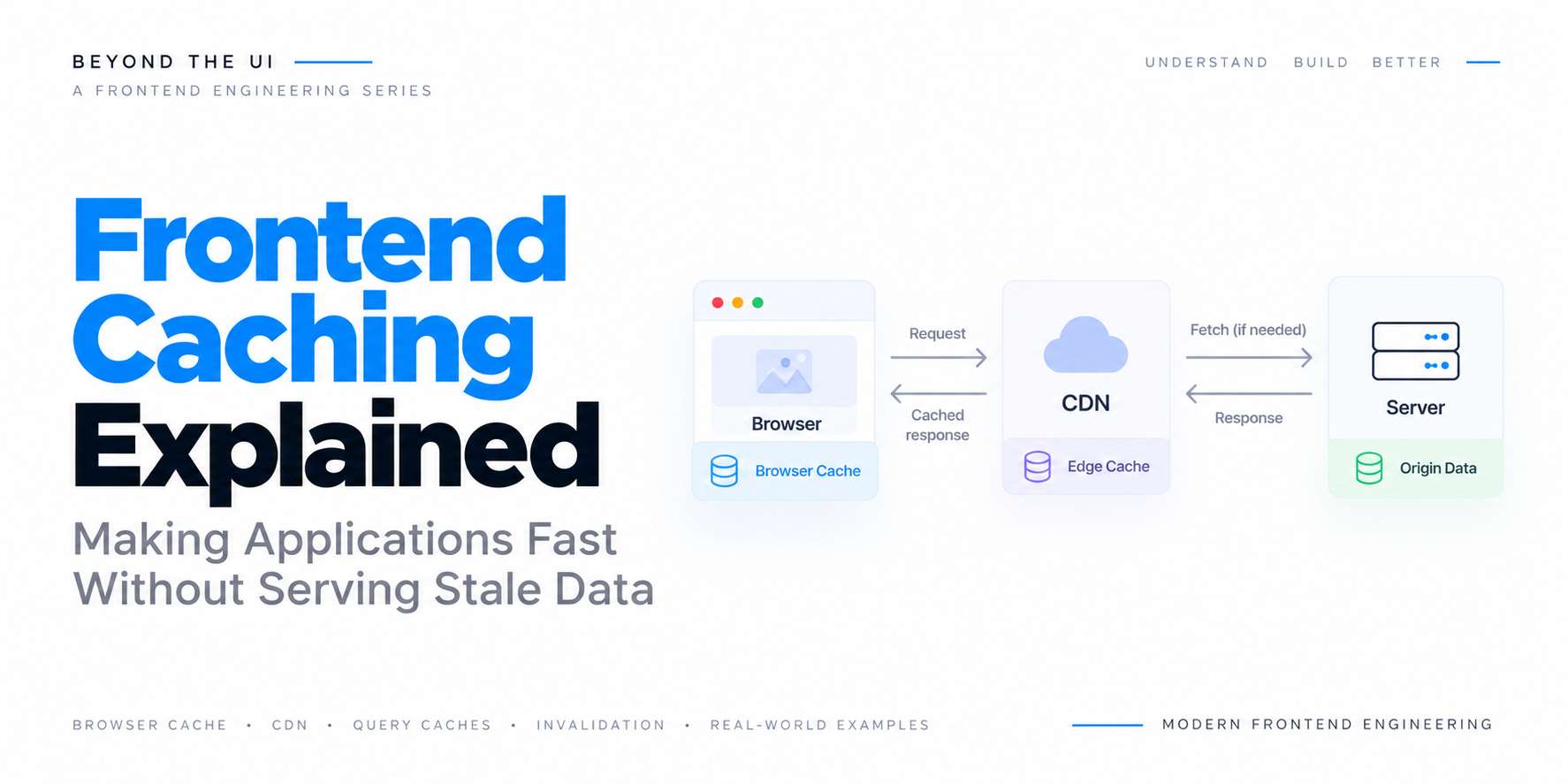
Frontend Caching Explained: Making Applications Fast Without Serving Stale Data
| Beyond the UI: Understanding Modern Frontend Engineering | Part 11 |
Introduction
Imagine opening an e-commerce application and navigating to a product page you visited a few minutes earlier.
The product images have already been downloaded, the product description has not changed, and the browser may still have the JavaScript and CSS files required to display the page. Yet the application downloads everything again, sends another request for the same product information, and makes you wait before showing content that was already available.
From the user’s perspective, the application feels unnecessarily slow.
Now consider the opposite situation.
The application caches everything aggressively. Product pages load almost instantly, images appear without delay, and previously visited sections open immediately. However, a product that went out of stock an hour ago still appears available, and a price that was updated on the backend continues displaying its previous value.
The application is fast, but the information it presents is no longer reliable.
These two situations illustrate one of the most important trade-offs in frontend performance engineering.
Caching can reduce repeated work, eliminate unnecessary network requests, and make applications feel significantly more responsive. However, every cached result introduces a new question: how do we know whether the information is still appropriate to reuse?
This problem appears at several layers of a modern web application.
Browsers cache images, stylesheets, JavaScript files, and HTTP responses. Content delivery networks store resources closer to users. Service workers can intercept requests and maintain offline caches. Frontend applications store API responses in memory, while server-state libraries coordinate caching, refetching, and invalidation.
These mechanisms may all be described as caching, but they operate at different levels and solve different problems.
Consider a financial dashboard.
When a user opens the dashboard, the browser may retrieve a JavaScript bundle from its local cache, load an icon from a CDN, restore previously fetched transactions from an application cache, and send a conditional HTTP request to determine whether the account information has changed.
Several caches participate in delivering the same interface.
1
2
3
4
5
6
7
8
9
10
11
12
13
14
15
16
17
18
19
20
                     User Opens Dashboard
                              |
                              v
                         Browser
                              |
                  +-----------+-----------+
                  |                       |
                  v                       v
             Static Assets            API Data
                  |                       |
                  v                       v
             Browser Cache         Application Cache
                  |                       |
                  v                       v
                CDN                 HTTP Cache
                  |                       |
                  +-----------+-----------+
                              |
                              v
                         Backend
Each layer has its own rules for storing, reusing, and refreshing information.
In the previous article, we explored optimistic UI and how applications can display predicted results before the backend confirms a mutation. That discussion focused on making user interactions feel immediate while preserving correctness.
Caching addresses a related but different challenge. Instead of predicting the outcome of a new operation, it attempts to reuse information or resources that have already been obtained.
In this article, we will explore how frontend caching works, understand the different caching layers, examine HTTP caching and cache-control directives, and investigate how applications can balance performance with data freshness.
We will also examine cache invalidation, stale-while-revalidate strategies, service workers, versioned assets, and the practical challenges of keeping cached information synchronized with changing backend systems.
Because caching is not simply about remembering information.
It is about knowing when that information can still be trusted.
1. What Is Caching?
Caching is the process of storing a previously obtained resource or result so that future requests can retrieve it more efficiently.
The underlying idea is straightforward.
If obtaining something is expensive, and the same information is likely to be needed again, keeping a reusable copy may reduce the cost of subsequent access.
Consider a browser requesting a product image.
Without caching, every request might require downloading the image from the server.
1
2
3
4
5
6
7
8
9
10
11
12
13
14
15
16
Browser
   |
   v
Request Image
   |
   v
Network
   |
   v
Server
   |
   v
Download Image
   |
   v
Display Image
If the image is cached locally, subsequent requests may be satisfied without downloading the resource again.
1
2
3
4
5
6
7
8
9
10
11
12
13
14
15
16
17
18
19
20
Browser
   |
   v
Request Image
   |
   v
Check Cache
   |
   +----------------+
   |                |
 Cache Hit       Cache Miss
   |                |
   v                v
Use Cached       Fetch From
  Image            Server
   |                |
   +--------+-------+
            |
            v
       Display Image
The benefit depends on how expensive the original operation is compared with retrieving the cached result.
Downloading a large image over a slow connection may take hundreds of milliseconds or longer. Retrieving a suitable local cached copy can be substantially faster.
However, caching introduces storage costs, lookup overhead, and consistency concerns.
The application must decide what should be cached, how long the cached information should remain available, and what should happen when the original resource changes.
This leads to an important principle.
Caching trades some amount of storage and coordination complexity for the possibility of avoiding repeated work.
The same principle applies whether we are caching an image, an API response, a database query, or the result of an expensive calculation.
2. Caching Is Not One Mechanism
When developers discuss frontend caching, they sometimes treat it as though there were one cache responsible for the entire application.
In reality, modern web applications can involve several independent caching layers.
A simplified architecture might look like this.
1
2
3
4
5
6
7
8
9
10
11
12
13
14
15
16
17
18
19
20
                       Frontend Application
                                |
                +---------------+---------------+
                |                               |
                v                               v
           Static Resources                  Dynamic Data
                |                               |
                v                               v
           Browser Cache                  Query Cache
                |                               |
                v                               v
             CDN Cache                    HTTP Cache
                |                               |
                +---------------+---------------+
                                |
                                v
                            Backend
                                |
                                v
                          Database Cache
Each layer has a different responsibility.
The browser’s HTTP cache can reuse previously retrieved responses according to HTTP caching rules.
A CDN can cache eligible resources at geographically distributed edge locations.
An application-level cache can store data according to application-specific identities and freshness policies.
A service worker can implement programmable request-handling and offline strategies.
A backend or database cache can reduce the cost of generating responses.
These caches may cooperate, but they do not automatically know about one another.
For example, invalidating a query in an application-level cache does not necessarily remove a response stored in the browser’s HTTP cache.
Similarly, deploying a new frontend bundle does not automatically invalidate every API response cached by a CDN.
Understanding which layer owns a cached response is essential when diagnosing stale-data problems.
3. Browser HTTP Caching: The First Layer
The browser’s HTTP cache is one of the most important caching mechanisms on the web.
When a browser requests a resource, the server can include HTTP headers that describe whether the response may be stored and how it should be reused.
Consider a stylesheet.
1
2
GET /assets/styles.css HTTP/1.1
Host: example.com
The server responds with the stylesheet and a cache policy.
1
2
3
HTTP/1.1 200 OK
Content-Type: text/css
Cache-Control: public, max-age=3600
The max-age=3600 directive tells a cache that the response can be considered fresh for up to 3,600 seconds, subject to the applicable HTTP caching rules and response age.
During that period, the browser may reuse the cached response without contacting the server.
1
2
3
4
5
6
7
8
9
10
11
12
13
14
15
16
17
18
19
20
21
22
First Request
      |
      v
Download styles.css
      |
      v
Store in HTTP Cache
      |
      v
Use Stylesheet


Later Request
      |
      v
Check Freshness
      |
      v
Still Fresh
      |
      v
Reuse Cached Stylesheet
This can eliminate network round trips and improve page loading performance.
However, the browser cannot assume that every resource remains valid indefinitely.
The caching policy determines when a response can be reused directly and when the browser must validate or retrieve it again.
This is why HTTP caching is not simply a storage mechanism.
It is also a protocol for communicating freshness and reuse rules.
4. Understanding Cache-Control
The Cache-Control header is central to HTTP caching.
It allows servers to communicate how responses should be handled by caches.
Several directives are particularly important for frontend engineering.
max-age
The max-age directive specifies a freshness lifetime in seconds.
1
Cache-Control: max-age=600
This allows a cache to consider the response fresh for 10 minutes, accounting for response age.
For resources that rarely change, a longer freshness period may reduce unnecessary network requests.
For frequently changing information, a shorter period may be more appropriate.
public
The public directive explicitly permits storage by shared caches, subject to other applicable restrictions.
1
Cache-Control: public, max-age=3600
This can be useful for resources intended to be shared across users, such as public images and versioned frontend assets.
However, it should not be used carelessly for personalized or sensitive responses.
private
The private directive prevents shared caches from storing the response, while allowing eligible private caches, such as a browser cache, to store it.
1
Cache-Control: private, max-age=60
This can be appropriate for some user-specific responses when local HTTP caching is acceptable.
It is not an instruction to keep data secret from JavaScript or other browser mechanisms. It specifically controls shared-cache storage.
no-cache
Despite its name, no-cache does not mean that the response cannot be stored.
Instead, it means that a cache must successfully validate the stored response with the origin server before reusing it to satisfy a subsequent request.
1
Cache-Control: no-cache
This is useful when storing a response is acceptable, but reusing it without checking for changes is not.
no-store
The no-store directive instructs caches not to store the response.
1
Cache-Control: no-store
This is often appropriate for highly sensitive responses that should not be retained in HTTP caches.
It is important to understand that no-store does not erase every possible copy of information from application memory, browser storage, logs, or other systems. Those mechanisms require their own controls.
immutable
The immutable directive indicates that a fresh response will not change during its freshness lifetime.
1
Cache-Control: public, max-age=31536000, immutable
This is particularly useful for versioned static assets whose URLs change whenever their contents change.
The browser can reuse the resource without unnecessary validation while it remains fresh.
The distinction between these directives is important because choosing the wrong policy can either waste network resources or cause users to receive outdated information.
5. Freshness and Validation Are Different Concepts
A common misconception is that once a cached response becomes stale, it must be downloaded again in full.
That is not necessarily true.
HTTP supports conditional requests that allow the browser to ask whether a previously retrieved resource has changed.
Consider an image returned with an entity tag.
1
2
3
4
HTTP/1.1 200 OK
Content-Type: image/png
ETag: "image-version-7"
Cache-Control: no-cache
The browser stores the response.
When it needs the resource again, it can send a conditional request.
1
2
GET /images/product.png HTTP/1.1
If-None-Match: "image-version-7"
If the resource has not changed, the server can respond:
1
2
HTTP/1.1 304 Not Modified
ETag: "image-version-7"
The browser can then reuse its stored representation according to HTTP validation rules.
The response does not need to include the complete image body again.
1
2
3
4
5
6
7
8
9
10
11
12
13
14
15
16
17
18
19
20
21
22
23
24
25
Browser Has Cached Image
            |
            v
       Response Is Stale
            |
            v
    Send Conditional Request
            |
            v
      Server Compares ETag
            |
       +----+----+
       |         |
    Unchanged   Changed
       |         |
       v         v
      304       200
       |         |
       v         v
  Reuse Cache  Download New
       |         |
       +----+----+
            |
            v
       Display Image
This reduces transferred data when the resource has not changed.
However, validation still involves a network round trip.
For frequently requested resources that rarely change, an appropriate freshness lifetime can avoid even that round trip.
The distinction is therefore important.
Freshness allows a cache to reuse a response without contacting the server.
Validation allows a cache to check whether a stored response is still current.
6. ETags and Last-Modified
HTTP provides multiple mechanisms for validating cached resources.
Two commonly used mechanisms are ETag and Last-Modified.
An ETag is an identifier associated with a particular representation of a resource.
1
ETag: "product-42-v18"
When the browser later requests the resource, it can include:
1
If-None-Match: "product-42-v18"
The server compares the supplied validator with the current representation.
If the relevant representation has not changed, the server may return 304 Not Modified.
Last-Modified works differently.
The server includes a modification timestamp.
1
Last-Modified: Wed, 14 Oct 2026 09:30:00 GMT
The browser can later send:
1
If-Modified-Since: Wed, 14 Oct 2026 09:30:00 GMT
The server determines whether the resource has changed since that time.
Both approaches support conditional requests, but ETags can provide more precise representation validation, depending on how the server generates them.
Modification timestamps may be less reliable when resources change multiple times within the same timestamp resolution or when timestamps do not accurately reflect representation changes.
A practical application can use these mechanisms to reduce unnecessary downloads without assuming that cached resources remain current forever.
7. Cache Busting and Versioned Static Assets
One of the most effective caching strategies for frontend applications is to use versioned asset filenames.
Consider a JavaScript bundle.
1
/assets/app.js
Suppose the server tells browsers to cache it for one year.
1
Cache-Control: public, max-age=31536000, immutable
If the application deploys a new version but keeps the same URL, browsers may continue using the old bundle while it remains fresh.
This can cause users to run outdated code.
A common solution is content hashing.
Instead of using a fixed filename, the build system generates a filename based on the asset’s contents.
1
/assets/app.a8f31c.js
When the bundle changes, the hash changes.
1
/assets/app.b71d92.js
The new HTML document references the new filename.
1
<script src="/assets/app.b71d92.js"></script>
The browser treats this as a different resource and downloads it.
The previous bundle can remain cached because its URL still identifies the old content.
1
2
3
4
5
6
7
8
9
10
11
12
13
14
15
16
17
18
Version 1
app.a8f31c.js
      |
      v
Long-Lived Cache


New Deployment
      |
      v
Version 2
app.b71d92.js
      |
      v
New URL
      |
      v
Download New Bundle
This allows applications to cache immutable static assets aggressively without serving outdated code after the browser receives updated HTML.
However, the HTML document itself requires a suitable caching policy.
If the browser continues using an old HTML document, it may continue referencing old asset filenames.
For many web applications, HTML is configured for revalidation while fingerprinted static assets receive long-lived immutable caching.
This separates the responsibility of discovering new deployments from the responsibility of efficiently reusing unchanged assets.
8. CDN Caching: Moving Resources Closer to Users
A content delivery network, or CDN, stores eligible resources at distributed locations closer to users.
Without a CDN, a browser may need to retrieve every resource from an origin server located far away.
1
2
3
4
5
6
7
User in Nairobi
       |
       v
Long Network Route
       |
       v
Origin Server
With a CDN, frequently requested resources may be available at a nearby edge location.
1
2
3
4
5
6
7
8
9
10
11
12
13
14
15
16
17
User in Nairobi
       |
       v
Nearby CDN Edge
       |
       +----------------+
       |                |
    Cache Hit        Cache Miss
       |                |
       v                v
  Return Resource   Contact Origin
                        |
                        v
                   Store Response
                        |
                        v
                   Return Resource
This can reduce latency, origin-server load, and repeated data transfer.
CDNs are particularly useful for static resources such as images, fonts, stylesheets, and JavaScript bundles.
They can also cache selected API responses when the application’s data and security requirements permit it.
However, shared caching introduces additional responsibilities.
A CDN must not accidentally serve one user’s personalized response to another user.
Cache keys must distinguish resources correctly, and cache policies must account for authorization, cookies, request headers, and other factors that affect response identity.
A response that is safe to cache in one user’s browser is not necessarily safe to store in a shared CDN cache.
This is why public and private caching policies matter.
9. CDN Invalidation and Purging
Long-lived CDN caching improves performance, but it creates a challenge when resources change.
Suppose an e-commerce application caches product images at the edge.
The business uploads a replacement image while keeping the same URL.
Some CDN locations may continue serving the previous image until the cached response expires or is invalidated.
One solution is to purge the cached resource from the CDN.
Another is to change the resource URL whenever its contents change.
For static assets, versioned URLs are often the simpler and more predictable strategy.
For dynamic responses, explicit invalidation or short freshness lifetimes may be necessary.
1
2
3
4
5
6
7
8
9
10
11
12
13
14
15
16
Product Image Updated
          |
          v
Origin Has New Image
          |
          v
CDN Still Has Old Image
          |
     +----+----+
     |         |
   Purge    New URL
     |         |
     +----+----+
          |
          v
Fetch Updated Resource
Purging is not always instantaneous across every edge location, and different CDN providers offer different consistency guarantees.
Applications should therefore avoid assuming that a purge operation immediately removes every stale copy everywhere.
This is especially important when cached content affects prices, inventory, security, or other time-sensitive information.
10. Application-Level Caching
Browser and CDN caches operate primarily around HTTP resources and responses.
Frontend applications may also maintain their own caches.
Consider a dashboard that retrieves transaction data.
1
2
3
4
5
6
7
8
9
async function fetchTransactions() {
  const response = await fetch("/api/transactions");

  if (!response.ok) {
    throw new Error("Unable to retrieve transactions");
  }

  return response.json();
}
Without an application-level cache, different components may independently request the same information.
The application can instead store a previously retrieved result.
1
2
3
4
5
6
7
8
9
10
11
12
13
const cache = new Map();

async function getTransactions() {
  if (cache.has("transactions")) {
    return cache.get("transactions");
  }

  const transactions = await fetchTransactions();

  cache.set("transactions", transactions);

  return transactions;
}
This avoids repeated fetching after the first successful request.
However, the implementation has several limitations.
It does not define when the cached data becomes stale. It does not automatically refresh the result. It does not deduplicate simultaneous requests before the first response arrives. It also does not handle invalidation after transactions change.
These concerns are why production applications often use dedicated server-state caching mechanisms.
Application-level caching is useful, but storing a response in a Map is only the beginning of a complete caching strategy.
11. Cache Identity: Knowing What Is Being Cached
A cache must distinguish between responses representing different resources.
Consider an endpoint that returns transactions for a selected month.
1
GET /api/transactions?month=2026-09
The result differs from:
1
GET /api/transactions?month=2026-10
If the application stores both under the same key, it may return September’s transactions when the user requests October.
A better cache key includes the relevant parameters.
1
2
3
4
5
6
7
function createTransactionKey(month, accountId) {
  return JSON.stringify([
    "transactions",
    accountId,
    month
  ]);
}
For example:
1
2
3
4
5
6
7
8
9
const septemberKey = createTransactionKey(
  "2026-09",
  123
);

const octoberKey = createTransactionKey(
  "2026-10",
  123
);
These keys identify different datasets.
1
2
3
4
5
6
7
8
9
10
["transactions", 123, "2026-09"]
                  |
                  v
          September Transactions


["transactions", 123, "2026-10"]
                  |
                  v
           October Transactions
Cache identity must also account for authorization and user isolation.
A shared cache should never return one user’s private financial information to another user simply because the request paths are similar.
When authentication context changes, applications may need to clear or partition cached information.
A correct cache key is therefore both a performance mechanism and a correctness boundary.
12. Time-to-Live: How Long Should Data Be Cached?
One common application-level caching strategy is time-to-live, or TTL.
TTL specifies how long a cached entry remains eligible for reuse under a particular policy.
Consider a simple cache that stores values alongside expiration timestamps.
1
2
3
4
5
6
7
8
9
10
11
12
13
14
15
16
17
18
19
20
21
22
23
24
25
26
27
28
29
30
31
32
33
34
35
function createTTLCache() {
  const cache = new Map();

  return {
    get(key) {
      const entry = cache.get(key);

      if (!entry) {
        return undefined;
      }

      if (Date.now() >= entry.expiresAt) {
        cache.delete(key);
        return undefined;
      }

      return entry.value;
    },

    set(key, value, ttlMs) {
      cache.set(key, {
        value,
        expiresAt: Date.now() + ttlMs
      });
    },

    delete(key) {
      cache.delete(key);
    },

    clear() {
      cache.clear();
    }
  };
}
We can use it to cache a response for one minute.
1
2
3
4
5
6
7
const transactionCache = createTTLCache();

transactionCache.set(
  "transactions",
  transactions,
  60_000
);
After the TTL expires, the next lookup returns a cache miss.
This is a straightforward strategy, but it has limitations.
Expiration does not necessarily mean that the underlying data changed.
Similarly, a response may become outdated before its TTL expires.
TTL is therefore a policy for limiting reuse, not a guarantee of correctness.
The appropriate duration depends on the nature of the information.
A public country list may tolerate long caching periods.
A product catalogue may require more frequent updates.
A financial balance may need revalidation whenever the user initiates a sensitive operation.
Choosing TTL values should reflect both the expected rate of change and the consequences of displaying outdated information.
13. Stale-While-Revalidate: Speed Without Ignoring Freshness
A common strategy for balancing responsiveness and freshness is stale-while-revalidate.
The idea is to display previously cached information immediately while requesting an updated version in the background.
Consider a user returning to a dashboard.
The application already has cached transactions from an earlier visit.
Instead of displaying an empty loading screen, it can show the cached transactions and start a background refresh.
1
2
3
4
5
6
7
8
9
10
11
12
13
14
15
16
17
18
19
20
21
22
23
24
User Opens Dashboard
          |
          v
Check Application Cache
          |
     +----+----+
     |         |
 Cache Hit   Cache Miss
     |         |
     v         v
Show Cached  Fetch Data
   Data          |
     |           |
     v           |
Background       |
  Refresh        |
     |           |
     +-----+-----+
           |
           v
     New Data Arrives
           |
           v
       Update UI
This approach can improve perceived performance because the user sees useful content before the network request completes.
However, it introduces a period during which the interface may display stale information.
The application must decide whether this is acceptable.
For a product catalogue, a brief period of staleness may be reasonable if availability is validated during checkout.
For a financial dashboard, the application may need to display the last synchronization time.
For critical operations, it may need to require a fresh authoritative response before allowing the user to proceed.
There is also an important distinction between the HTTP stale-while-revalidate directive and an application-level stale-while-revalidate strategy.
The HTTP directive controls when an HTTP cache may serve a stale response while revalidating it, subject to the protocol’s rules.
An application-level strategy may instead reuse data from a JavaScript query cache and perform its own background request.
The concepts are related, but they operate at different layers.
14. HTTP Stale-While-Revalidate
HTTP supports a stale-while-revalidate extension to Cache-Control.
For example:
1
Cache-Control: public, max-age=60, stale-while-revalidate=300
This policy allows a cache to consider the response fresh for 60 seconds.
After the response becomes stale, it may be reused for up to an additional 300 seconds while revalidation takes place, according to the applicable caching rules.
Conceptually:
1
2
3
4
5
6
Time Since Response

0s                60s                      360s
|------------------|-------------------------|
       Fresh            Stale Reuse Window
       Period           With Revalidation
During the fresh period, the cache may reuse the response without contacting the origin.
During the stale-while-revalidate window, an eligible cache may serve the stale response while revalidating it.
Beyond that window, the cache generally cannot rely on this directive alone to continue serving the stale response.
This strategy can reduce user-visible latency for resources where temporary staleness is acceptable.
However, the exact behavior depends on browser or intermediary cache support and whether revalidation can occur under the circumstances of the request.
The directive should not be treated as a guarantee that every stale response will always be delivered immediately.
15. Cache Invalidation: The Hard Part
Caching becomes complicated when the underlying information changes.
Imagine a product catalogue.
The application retrieves a list of products and stores the response.
Later, an administrator changes the price of one product.
The backend now contains the updated price, but the frontend cache still contains the old value.
1
2
3
4
5
6
7
8
9
10
11
12
                  Backend
             Product Price: 4,500
                       |
                       |
                  Cache Not Updated
                       |
                       v
                 Frontend Cache
             Product Price: 5,000
                       |
                       v
                    Display
The frontend needs a strategy for recognizing that the cached result is no longer valid.
One approach is expiration.
The cache simply waits until the freshness period ends before retrieving updated information.
Another approach is explicit invalidation.
After a successful product update, the application marks relevant cached data as stale or removes it.
1
2
3
4
5
6
7
8
9
10
11
12
13
Update Product Price
          |
          v
Backend Confirms Update
          |
          v
Invalidate Product Data
          |
          v
Refetch When Appropriate
          |
          v
Display Updated Price
Explicit invalidation is often more responsive than waiting for a TTL to expire.
However, the challenge is identifying every cached resource affected by a mutation.
Changing one product’s price may affect its detail page, category listings, search results, recommendations, and shopping cart totals.
Invalidating only the product detail cache may leave other parts of the application displaying outdated information.
This is why cache invalidation requires understanding data dependencies.
It is not enough to know which record changed.
We must also understand which cached representations depend on that record.
16. Cache Invalidation Strategies
Different applications use different approaches to invalidation.
Time-Based Expiration
A cached entry becomes stale after a defined duration.
This is simple and predictable, but it may allow outdated data to remain visible until the expiration period ends.
Explicit Invalidation
The application marks relevant cached data as stale after a known event, such as a successful mutation.
This works well when the frontend knows which operations affect which resources.
Event-Driven Invalidation
The backend notifies connected clients when relevant data changes.
For example, a WebSocket event may indicate that a product has been updated.
The frontend can then invalidate the corresponding cached data.
1
2
3
4
5
6
7
8
9
10
11
12
13
Backend Data Changes
          |
          v
Publish Update Event
          |
          v
Connected Frontend
          |
          v
Invalidate Cache
          |
          v
Refetch Updated Data
Version-Based Invalidation
Resources are associated with versions or validators.
When the version changes, the application knows that the cached representation no longer matches the authoritative one.
Manual Refresh
The application provides a refresh action that allows users to request updated information.
This can be useful for dashboards and reporting interfaces, although it should not be the only synchronization mechanism when freshness is critical.
The most effective systems often combine several strategies.
For example, an application may use a short freshness lifetime, explicitly invalidate data after mutations, and refresh stale queries when the user returns to the browser tab.
17. Query Caching in Modern Frontend Applications
Modern frontend applications frequently use specialized libraries to manage server-state caching.
Examples include TanStack Query and SWR, along with framework-specific remote-data mechanisms.
These tools typically address several concerns together.
They identify cached data using query keys, coordinate requests, manage loading and error states, track freshness, and provide mechanisms for invalidation and refetching.
Consider a React example using TanStack Query.
1
2
3
4
5
6
7
8
9
10
11
12
13
14
15
16
17
18
19
20
21
22
23
24
25
26
27
28
29
import { useQuery } from "@tanstack/react-query";

function Transactions({ accountId }) {
  const {
    data,
    isPending,
    isError,
    isFetching
  } = useQuery({
    queryKey: ["transactions", accountId],
    queryFn: () => fetchTransactions(accountId),
    staleTime: 60_000
  });

  if (isPending) {
    return <p>Loading transactions...</p>;
  }

  if (isError) {
    return <p>Unable to load transactions.</p>;
  }

  return (
    <section>
      {isFetching && <small>Refreshing...</small>}
      <TransactionList transactions={data} />
    </section>
  );
}
The query key identifies the resource.
The query function retrieves the information.
The staleTime configuration determines how long the cached data is considered fresh by the query system.
After the data becomes stale, it may be refetched when a configured trigger occurs.
Importantly, becoming stale does not necessarily mean that the cached data is immediately deleted or that a network request starts at the exact moment the freshness period ends.
The library manages these behaviors according to its lifecycle and configuration.
Although this example uses React, the architectural concept is framework-independent.
Angular, Vue, Svelte, and other frontend ecosystems can use similar remote-data caching strategies.
The important distinction is that a query cache manages the lifecycle of remote information rather than merely storing values in local component state.
18. Request Deduplication and In-Flight Caching
A useful optimization in server-state caching is request deduplication.
Imagine three components requesting the same user profile simultaneously.
Without coordination:
1
2
3
Header ----------- GET /api/profile
Sidebar ---------- GET /api/profile
Settings --------- GET /api/profile
The application sends three requests for the same information.
A request coordinator can allow the components to share one in-flight request.
1
2
3
4
5
6
7
8
Header -----------+
                   |
Sidebar -----------+---- GET /api/profile
                   |
Settings ----------+
                   |
                   v
             Shared Response
A simple framework-independent implementation can cache the pending Promise.
1
2
3
4
5
6
7
8
9
10
11
12
13
14
15
16
17
18
19
const inFlightRequests = new Map();

async function fetchOnce(key, fetcher) {
  if (inFlightRequests.has(key)) {
    return inFlightRequests.get(key);
  }

  const promise = Promise.resolve().then(fetcher);

  inFlightRequests.set(key, promise);

  try {
    return await promise;
  } finally {
    if (inFlightRequests.get(key) === promise) {
      inFlightRequests.delete(key);
    }
  }
}
Multiple callers requesting the same key while the first request is pending can share the same Promise.
Once the request settles, the entry is removed.
This is not a persistent data cache.
It is an in-flight request cache.
The distinction matters because deduplication avoids duplicate concurrent work, while response caching avoids repeated work across separate moments in time.
Production implementations may combine both mechanisms.
19. Service Workers and Programmable Caching
Service workers provide another caching mechanism for web applications.
A service worker is a browser-managed script that can intercept eligible network requests and implement custom response strategies.
Combined with the Cache Storage API, service workers can support offline experiences and fine-grained resource caching.
Consider a simplified cache-first strategy.
1
2
3
4
5
6
7
8
9
10
11
12
13
14
15
16
17
18
19
20
21
22
23
24
25
26
self.addEventListener("fetch", event => {
  if (event.request.method !== "GET") {
    return;
  }

  event.respondWith(
    caches.match(event.request).then(async cached => {
      if (cached) {
        return cached;
      }

      const response = await fetch(event.request);

      if (response.ok) {
        const cache = await caches.open("assets-v1");

        await cache.put(
          event.request,
          response.clone()
        );
      }

      return response;
    })
  );
});
This example checks the Cache Storage API before requesting the resource from the network.
If a cached response exists, it returns that response.
Otherwise, it fetches the resource and stores a copy when appropriate.
However, this is a simplified illustration rather than a complete production service worker.
A real implementation should restrict caching to suitable resources, account for cache size, manage version changes, handle offline failures, and avoid caching sensitive or personalized responses unintentionally.
The Cache Storage API also has its own lifecycle. It is separate from the browser’s ordinary HTTP cache.
This means developers must understand which storage mechanism is responsible for a response when debugging caching behavior.
20. Cache-First, Network-First, and Network-Only Strategies
Service workers and application-level caching systems can implement different request strategies.
Cache-First
The application checks the cache before contacting the network.
1
2
3
4
5
6
7
8
9
10
11
Request
   |
   v
Check Cache
   |
   +----------------+
   |                |
  Hit              Miss
   |                |
   v                v
Return Cache     Fetch Network
This is useful for resources that rarely change, such as versioned static assets.
However, it can serve stale content if invalidation is not handled correctly.
Network-First
The application attempts to retrieve fresh information from the network.
If the request fails, it may fall back to a cached response.
1
2
3
4
5
6
7
8
9
10
11
12
13
14
Request
   |
   v
Fetch Network
   |
   +----------------+
   |                |
 Success          Failure
   |                |
   v                v
Return Fresh     Check Cache
 Response            |
                     v
                 Fallback
This can be useful for information that should normally be current but may still be valuable when offline.
Stale-While-Revalidate
The application returns cached information when available while requesting an updated response in the background.
This provides fast access to previously retrieved data while allowing the cache to refresh.
Network-Only
The application always attempts a network request and does not use a cached response as a fallback.
This can be appropriate for operations requiring authoritative confirmation or for responses that should not be stored.
Each strategy represents a different balance between speed, availability, and freshness.
The correct choice depends on the resource and the consequences of using outdated information.
21. Offline Caching Is Not the Same as Offline Synchronization
Caching can make information available without an active network connection.
However, offline access and offline synchronization are different capabilities.
Consider a field-service application.
A technician opens a customer record while online. The application caches the record so it can be viewed later without connectivity.
That is offline caching.
Now suppose the technician updates the customer’s information while offline.
The application must preserve the pending change and synchronize it when connectivity returns.
That is offline synchronization.
1
2
3
4
5
6
7
8
9
10
11
12
13
14
15
                    Offline Application
                             |
                  +----------+----------+
                  |                     |
                  v                     v
              Cached Data         Pending Mutations
                  |                     |
                  v                     v
             Offline Reading      Offline Editing
                                        |
                                        v
                                 Network Restored
                                        |
                                        v
                                   Synchronize
Offline synchronization introduces additional problems.
The server may have changed while the user was offline. Mutations may conflict, retries may duplicate operations, and queued changes may depend on one another.
A cache alone does not solve these problems.
Reliable offline synchronization may require durable mutation queues, idempotency, version checks, and conflict-resolution policies.
This connects frontend caching to the distributed-systems concepts we explored in earlier articles.
22. Caching and Authentication
Caching becomes particularly sensitive when responses contain user-specific information.
Consider an application where User A logs in and retrieves account information.
The frontend stores the response in an application-level cache.
Later, User A logs out and User B logs in using the same browser.
If the application does not clear or partition the cached information, User B may briefly see User A’s account data.
1
2
3
4
5
6
7
8
9
10
11
12
13
14
15
16
17
18
19
User A Logs In
       |
       v
Fetch Account Data
       |
       v
Cache User A Data
       |
       v
User A Logs Out
       |
       v
User B Logs In
       |
       v
Old Cache Reused
       |
       v
Potential Data Exposure
This is a serious correctness and privacy problem.
Applications should ensure that user-specific caches are isolated by authentication context and cleared or appropriately reset when the session changes.
Shared HTTP caches and CDNs require additional care.
Personalized responses should not be made publicly cacheable unless the architecture explicitly guarantees safe separation.
Sensitive endpoints may require restrictive HTTP caching policies, depending on the data and threat model.
Caching should never undermine the application’s authorization boundaries.
A cache is part of the system’s data-handling architecture and should be treated accordingly.
23. A Practical Example: Caching a Financial Dashboard
Let’s bring the concepts together using a financial dashboard that displays monthly transactions and spending summaries.
The application retrieves transactions for a selected account and month.
1
2
3
4
5
6
7
8
9
10
11
12
13
14
15
16
async function fetchTransactions(accountId, month) {
  const params = new URLSearchParams({
    accountId: String(accountId),
    month
  });

  const response = await fetch(
    `/api/transactions?${params}`
  );

  if (!response.ok) {
    throw new Error("Unable to retrieve transactions");
  }

  return response.json();
}
The application may want to avoid refetching the same dataset whenever the user switches between dashboard sections.
However, the transactions can change when new records are imported or corrected.
We therefore need a freshness policy.
A simplified application cache might store the data with a timestamp.
1
2
3
4
5
6
7
8
9
10
11
12
13
14
15
16
17
18
19
20
21
22
23
24
25
26
27
28
29
30
31
32
33
const transactionCache = new Map();

async function getTransactions(
  accountId,
  month,
  maxAgeMs = 60_000
) {
  const key = JSON.stringify([
    accountId,
    month
  ]);

  const cached = transactionCache.get(key);

  if (
    cached &&
    Date.now() - cached.fetchedAt < maxAgeMs
  ) {
    return cached.data;
  }

  const data = await fetchTransactions(
    accountId,
    month
  );

  transactionCache.set(key, {
    data,
    fetchedAt: Date.now()
  });

  return data;
}
This implementation provides basic time-based caching.
However, it still has limitations.
It does not deduplicate concurrent requests. It does not preserve stale data during background refetching. It does not automatically invalidate entries after transaction mutations, and it does not limit memory usage.
These features could be added, but doing so would gradually turn the implementation into a specialized query-cache system.
For a production dashboard, a dedicated remote-data caching library may therefore be preferable.
Separating Cached Data From Derived Analytics
Once the transactions are retrieved, the application may calculate spending summaries.
1
2
3
4
5
6
7
8
9
10
11
12
13
14
15
16
17
18
19
20
21
function calculateCategoryTotals(transactions) {
  const totals = new Map();

  for (const transaction of transactions) {
    const current = totals.get(
      transaction.category
    ) ?? 0;

    totals.set(
      transaction.category,
      current + transaction.amount
    );
  }

  return [...totals.entries()].map(
    ([category, amount]) => ({
      category,
      amount
    })
  );
}
This introduces another optimization opportunity.
The transaction data may be cached to avoid repeated network requests.
The calculated summary may be memoized to avoid repeated computation.
These are related but distinct responsibilities.
1
2
3
4
5
6
7
8
9
10
11
12
13
14
15
16
17
18
19
                   Backend API
                        |
                        v
                Transaction Response
                        |
                        v
                   Query Cache
                        |
                        v
                 Transaction Data
                        |
                        v
                Analytics Calculation
                        |
                        v
                  Memoized Result
                        |
                        v
                    Dashboard
If the cached transaction data changes, the analytics calculation may need to run again.
If the transaction data remains unchanged, memoization may allow the previous summary to be reused.
This architecture combines server-state caching with computation caching without confusing the two.
24. Measuring Cache Effectiveness
Caching should be evaluated using measurable outcomes rather than assumptions.
One useful metric is the cache hit rate.
The cache hit rate represents the proportion of lookups that successfully reuse cached information.
[ \text{Cache Hit Rate} = \frac{\text{Cache Hits}}{\text{Total Cache Lookups}} \times 100 ]
Suppose an application performs 1,000 cache lookups.
If 850 lookups return cached responses and 150 require fetching or recomputation, the cache hit rate is 85%.
1
2
3
4
5
1,000 Cache Lookups
         |
         +---- 850 Hits
         |
         +---- 150 Misses
A high hit rate can indicate effective reuse, but it does not automatically mean the caching strategy is good.
A cache could achieve a high hit rate by serving outdated information for too long.
We therefore need to measure both performance and correctness.
Useful measurements include network requests avoided, bytes transferred, response latency, cache memory consumption, background refetch frequency, and the rate at which users encounter stale information.
For CDN caches, origin offload and edge response latency may be important.
For application-level query caches, request deduplication, refetch behavior, and perceived loading performance may be more relevant.
For browser caching, transferred bytes and conditional request behavior can help reveal whether the configured policies are working as expected.
The goal is not simply to maximize cache hits.
It is to reduce unnecessary work while maintaining acceptable freshness and correctness.
25. Debugging Caching Problems
Caching bugs can be difficult to diagnose because multiple layers may participate in serving a response.
Suppose a user reports that a product price remains outdated after an administrator changes it.
The stale value might originate from an application query cache, the browser’s HTTP cache, a service worker, a CDN, or the backend itself.
A useful debugging process begins by identifying which layer returned the information.
Browser developer tools can reveal network requests, response headers, transfer sizes, and whether responses were served from memory or disk caches.
The application can log query-cache activity and invalidation events.
CDN response headers and provider dashboards may indicate whether a response was served from an edge cache.
The backend can log when the authoritative record was updated and when subsequent requests were processed.
Conceptually:
1
2
3
4
5
6
7
8
9
10
11
12
13
14
15
16
17
18
19
Outdated Data Displayed
          |
          v
Was a Network Request Made?
          |
     +----+----+
     |         |
    No        Yes
     |         |
     v         v
Check App    Inspect Response
and Browser       Headers
Caches             |
                   v
              CDN or Origin?
                   |
                   v
             Verify Backend
                 Data
This process is more effective than simply disabling all caching.
Disabling caching may hide the symptom, but it does not explain why the wrong response was reused.
Understanding the caching layer responsible for the problem allows the application to correct the policy without sacrificing unnecessary performance.
26. Common Caching Mistakes
One common mistake is caching dynamic data indefinitely without an invalidation strategy.
The application becomes fast initially, but eventually displays information that no longer matches the backend.
Another mistake is disabling caching everywhere because stale-data bugs are difficult to debug. This avoids some consistency problems but introduces unnecessary network requests and slower experiences.
Developers may also confuse no-cache with no-store, resulting in policies that do not behave as expected.
Another frequent issue is using long-lived caching for static assets without changing their URLs when the contents change. This can cause browsers to continue using outdated JavaScript or CSS after a deployment.
Applications may also duplicate the same data across several caches without understanding how those caches interact.
For example, a query cache may invalidate its stored result but receive an old response from another caching layer.
Finally, some systems cache personalized responses without properly isolating users or authorization contexts.
This can create serious privacy and security risks.
These mistakes demonstrate that caching is not simply a performance feature.
It is a data lifecycle and correctness concern.
27. Choosing the Right Caching Strategy
The correct caching strategy depends on the type of resource and the consequences of using an outdated version.
A useful starting point is to classify resources according to how frequently they change and how sensitive they are to staleness.
| Resource | Common strategy | Main consideration |
|---|---|---|
| Fingerprinted JavaScript and CSS | Long-lived immutable caching | New content must use new URLs |
| Public images | Browser and CDN caching | Invalidation when content changes |
| HTML documents | Revalidation or short freshness | Discovering new deployments |
| Public product catalogue | Query caching with refetching | Price and inventory changes |
| User profile | Private, session-aware caching | Authorization and account isolation |
| Financial balances | Conservative freshness and validation | Correctness and user trust |
| Static reference data | Longer-lived caching | Infrequent updates |
| Offline application shell | Service worker caching | Versioning and update lifecycle |
These are starting points rather than universal configurations.
For example, a product catalogue may tolerate a short period of staleness during browsing, but checkout should still validate the current price and inventory with the backend.
A financial dashboard may display a cached balance with a last-updated timestamp, while a money transfer should rely on authoritative server-side checks.
The important question is not simply whether a resource can be cached.
It is whether the application has a reliable policy for deciding when the cached representation is appropriate to reuse.
Bringing It All Together
Frontend caching is a collection of techniques that operate across different layers of the web application architecture.
The browser can reuse previously retrieved HTTP responses.
A CDN can serve eligible resources from geographically distributed edge locations.
A service worker can implement programmable request strategies and offline behavior.
An application-level cache can retain API responses and coordinate data retrieval.
A query cache can manage freshness, invalidation, refetching, and request deduplication.
Memoization can separately avoid repeating expensive calculations derived from cached data.
1
2
3
4
5
6
7
8
9
10
11
12
13
14
15
16
17
18
19
20
21
22
23
24
25
26
27
28
29
                         User Interaction
                                |
                                v
                         Frontend Application
                                |
                  +-------------+-------------+
                  |                           |
                  v                           v
             Static Assets                Dynamic Data
                  |                           |
                  v                           v
             Browser Cache               Query Cache
                  |                           |
                  v                           v
               CDN Cache                 HTTP Cache
                  |                           |
                  +-------------+-------------+
                                |
                                v
                            Backend
                                |
                                v
                       Authoritative Data
                                |
                                v
                       Cache Invalidation
                                |
                                v
                        Updated Frontend
Each layer can improve performance, but each also introduces rules about how long information remains valid.
The challenge is coordinating these layers without allowing outdated information to undermine correctness.
This connects directly to the concepts we have explored throughout the series.
The browser rendering pipeline determines how retrieved resources become visible pixels.
The event loop influences how network responses and application work are scheduled.
State management determines how values are represented and propagated.
Memoization avoids unnecessary repeated computation.
Server-state management coordinates local representations of remote information.
Optimistic UI allows interfaces to respond before mutations are confirmed.
Caching brings these ideas together by reducing repeated retrieval and computation while preserving appropriate freshness.
A fast frontend is not simply one that performs less work.
It is one that avoids unnecessary work without losing track of which information remains trustworthy.
Final Thoughts
Caching is one of the most powerful techniques available for improving frontend performance.
It can eliminate unnecessary network requests, reduce transferred data, decrease backend load, and make applications feel significantly more responsive.
However, caching also introduces a fundamental responsibility.
Every stored response represents information obtained at some point in time, and the original information may change after that moment.
The application must therefore understand when cached information can be reused, when it should be validated, and when it must be replaced.
This requires more than choosing an arbitrary expiration time.
It involves understanding resource identity, cache ownership, invalidation dependencies, authorization boundaries, and the consequences of displaying outdated information.
A well-designed caching strategy recognizes that different resources have different requirements.
Versioned static assets can often be cached aggressively.
Dynamic application data may require background synchronization.
Sensitive information may need restrictive storage policies.
Critical operations may require authoritative confirmation regardless of what the cache currently contains.
The objective is not to cache everything or to avoid caching entirely.
It is to use each caching layer deliberately, with a clear understanding of the performance benefits and correctness guarantees it can provide.
Because the fastest response is not always the best response if the information it contains is no longer correct.
What’s Next?
Next in Beyond the UI: Understanding Modern Frontend Engineering:
Code Splitting and Lazy Loading Explained: Shipping Less JavaScript
Throughout this article, we explored how caching can reduce repeated network requests and avoid downloading resources that are already available.
But what happens when the browser encounters an application for the first time?
There may be no cached JavaScript bundle, no previously downloaded stylesheets, and no stored application resources.
The browser must retrieve the code required to initialize the application.
If that code is unnecessarily large, even the best caching strategy cannot eliminate the cost of downloading, parsing, compiling, and executing it during a first visit.
In the next article, we will explore how code splitting and lazy loading reduce the amount of JavaScript delivered upfront.
We will examine module graphs, dynamic imports, route-level splitting, component-level lazy loading, bundle boundaries, and the trade-offs involved in loading code on demand.
Because sometimes the most effective performance optimization is not caching more JavaScript, but shipping less of it in the first place.